Cloud Computing on AWS
Essential Amazon Web Services terms covering compute, storage, networking, databases, and security for cloud engineers and architects.
This glossary covers the essential Amazon Web Services terms every cloud engineer and architect should know: compute, storage, networking, databases, and the identity controls that keep it all secure.
No terms found
Try adjusting your search query
Cloud Concepts
7
Region
A separate geographic area where AWS runs its data centers, such as us-east-1 or eu-west-1. Each region is fully isolated from the others so an outage in one does not spread to another.
Example
Availability Zone (AZ)
One or more physically separate data centers within a region, each with its own power, cooling, and networking. Spreading resources across multiple AZs is the basic way to survive a single data-center failure.
Edge Location
A site in the global CloudFront network that caches content close to users. There are far more edge locations than regions, which is what makes content delivery fast worldwide.
Elasticity
The ability to add and remove capacity automatically as demand rises and falls, so you pay for what you actually use instead of provisioning for peak load all the time.
High Availability
Designing a system to keep running through component failures, usually by running redundant resources across multiple Availability Zones behind a load balancer.
Pay-as-you-go
The billing model where you are charged for the resources you consume by the hour, second, request, or gigabyte, with no upfront hardware purchase.
Compute
9
EC2 (Elastic Compute Cloud)
Virtual servers in the cloud that you can launch, resize, and terminate on demand. EC2 gives you full control over the operating system, making it the workhorse for running almost any workload.
Example
Instance Type
A named hardware profile that sets an EC2 instance's CPU, memory, storage, and network capacity. Families are tuned for different jobs, such as compute-optimized (c), memory-optimized (r), or general purpose (t and m).
AMI (Amazon Machine Image)
A template that contains the operating system, software, and configuration used to launch an EC2 instance. Baking an AMI lets you start identical, ready-to-run servers in seconds.
Auto Scaling Group
A managed set of EC2 instances that grows or shrinks automatically based on demand or a schedule. It replaces unhealthy instances and keeps the fleet at your desired count.
Example
Lambda
A serverless compute service that runs your code in response to events without you managing any servers. You are billed only for the time your function actually runs.
Code Snippet
# Invoke a Lambda function from the CLIaws lambda invoke --function-name my-func out.jsonECS (Elastic Container Service)
AWS's own container orchestrator for running and scaling Docker containers. It handles placement, health checks, and networking so you do not have to build that yourself.
Fargate
A serverless engine for containers that runs ECS or EKS tasks without you provisioning or managing EC2 instances. You just define CPU and memory, and AWS runs the container for you.
EKS (Elastic Kubernetes Service)
A managed Kubernetes control plane on AWS. It runs and maintains the Kubernetes masters for you while you focus on your workloads and worker nodes.
Elastic Beanstalk
A platform-as-a-service layer that deploys and manages web apps for you, provisioning the EC2 instances, load balancer, and scaling behind the scenes from your uploaded code.
Databases
6
RDS (Relational Database Service)
A managed service that runs relational databases like PostgreSQL, MySQL, and SQL Server for you, handling patching, backups, and failover so you do not babysit the server.
Aurora
AWS's own MySQL- and PostgreSQL-compatible database engine, built for the cloud with higher throughput and storage that grows automatically. It is offered through RDS.
DynamoDB
A fully managed NoSQL key-value and document database that delivers single-digit-millisecond performance at any scale. It has no servers to manage and scales throughput on demand.
Example
ElastiCache
A managed in-memory cache using Redis or Memcached. Putting it in front of a database absorbs read load and speeds up responses by serving hot data from memory.
Read Replica
A read-only copy of an RDS database that stays in sync with the primary. Sending read queries to replicas offloads the primary and improves read scalability.
Multi-AZ Deployment
An RDS setup that keeps a standby copy of your database in another Availability Zone and fails over to it automatically if the primary goes down.
Networking
10
VPC (Virtual Private Cloud)
Your own isolated virtual network inside AWS where you launch resources. You control its IP range, subnets, routing, and gateways, giving you data-center-like control in the cloud.
Subnet
A slice of a VPC's IP range tied to a single Availability Zone. A public subnet has a route to the internet; a private subnet does not, which is where you keep databases and internal services.
Security Group
A stateful virtual firewall attached to an instance that controls its inbound and outbound traffic by rules. Being stateful, a reply to an allowed request is automatically permitted back.
Example
NACL (Network ACL)
A stateless firewall applied at the subnet level, evaluating traffic against numbered allow and deny rules. Because it is stateless, you must write rules for both directions of every flow.
Internet Gateway
A VPC component that lets resources in public subnets send and receive traffic to and from the internet. Without one attached, a subnet cannot reach the outside world.
NAT Gateway
A managed service that lets instances in a private subnet reach the internet for updates while staying unreachable from it. Outbound connections work; unsolicited inbound ones do not.
Route 53
AWS's scalable DNS and domain registration service. It resolves domain names to resources and can route users based on latency, geography, or health checks.
CloudFront
The AWS content delivery network that caches your content at edge locations near users. It cuts latency for static and dynamic content and absorbs traffic spikes.
Elastic Load Balancer (ELB)
A managed service that distributes incoming traffic across healthy targets in multiple Availability Zones. The Application Load Balancer works at Layer 7 (HTTP), while the Network Load Balancer works at Layer 4.
Elastic IP
A static public IPv4 address you allocate to your account and can attach to any instance. Because it does not change, it is handy for services that need a fixed public endpoint.
Operations & Billing
5
CloudWatch
The monitoring service that collects metrics, logs, and alarms from AWS resources. Alarms can trigger scaling actions or notifications when a metric crosses a threshold.
CloudFormation
The infrastructure-as-code service that provisions AWS resources from a declarative template. You describe the stack you want and CloudFormation creates, updates, or tears it down for you.
CloudTrail
A service that records API calls and account activity for auditing and security investigation. It answers the question of who did what, when, and from where in your account.
Reserved Instance
A billing commitment to use a certain instance type for one or three years in exchange for a large discount over on-demand pricing. It suits steady, predictable workloads.
Spot Instance
Spare EC2 capacity sold at a steep discount that AWS can reclaim with short notice. It is ideal for fault-tolerant, interruptible work like batch jobs and CI runners.
Security & Identity
7
IAM (Identity and Access Management)
The service that controls who can do what in your AWS account through users, groups, roles, and policies. It is the front door to every permission decision AWS makes.
IAM Policy
A JSON document that grants or denies specific actions on specific resources. Attaching a policy to a user or role is how you define exactly what they are allowed to do.
Code Snippet
{ "Effect": "Allow", "Action": "s3:GetObject", "Resource": "arn:aws:s3:::my-bucket/*"}IAM Role
A set of permissions that can be assumed temporarily by a user, service, or instance instead of being tied to one person. Giving an EC2 instance a role is the safe way to grant it AWS access without hardcoded keys.
Least Privilege
The practice of granting only the permissions a user or service actually needs, and nothing more. It limits the blast radius if a credential is ever leaked or misused.
KMS (Key Management Service)
A managed service for creating and controlling the encryption keys that protect your data. Most AWS services integrate with KMS, so encrypting data at rest is a matter of choosing a key.
Secrets Manager
A service that stores, encrypts, and rotates secrets like database passwords and API keys. Applications fetch secrets at runtime instead of baking them into code or config.
MFA (Multi-Factor Authentication)
A second proof of identity, such as a code from a phone app, required on top of a password. Enabling it on the root and admin accounts is one of the highest-value security steps on AWS.
Storage
7
S3 (Simple Storage Service)
Object storage that holds files (objects) in containers called buckets, accessed over HTTP. It offers effectively unlimited capacity and very high durability, making it the default place to store data on AWS.
Code Snippet
# Copy a local file to an S3 bucketaws s3 cp report.pdf s3://my-bucket/reports/Bucket
A top-level container in S3 that holds objects. Bucket names are globally unique across all of AWS and set the region, permissions, and access policy for what they hold.
S3 Storage Class
A tier that trades access speed for cost, such as Standard for hot data, Standard-IA for infrequent access, and Glacier for cheap long-term archives.
Glacier
A very low-cost S3 storage class built for archival data you rarely read. Retrieval can take minutes to hours depending on the option, in exchange for the lowest storage price.
EBS (Elastic Block Store)
Network-attached block storage volumes for EC2 instances, behaving like a virtual hard disk. Volumes persist independently of the instance and can be snapshotted for backup.
EFS (Elastic File System)
A managed, elastic NFS file system that many EC2 instances can mount at once. It grows and shrinks automatically as you add or remove files, unlike a fixed-size EBS volume.
Snapshot
A point-in-time backup of an EBS volume stored in S3. Snapshots are incremental, so each one only saves the blocks that changed since the last.
Comments
Was this useful?
Continue on this topic
The same subject, covered a different way from the glossary above.
 Case study
Multi-Region Active-Active for a Payments API
How a money-movement API was taken active-active across two AWS regions with idempotency keys, conflict-free replication, and a tested RTO and RPO, so a full regional outage never double-charges a customer or loses a committed payment.
 Dev tip
AWS VPC Design Best Practices: Subnets, Route Tables, and Security Groups
How to lay out an AWS VPC so it survives growth: CIDR planning that leaves room, three subnet tiers, one NAT Gateway per AZ, route tables that define what public actually means, security groups referencing each other instead of CIDRs, and the mistakes that cause production outages.
 Quiz
QuizAWS Advanced: EC2, RDS, Lambda, CloudFormation
Master AWS at scale: EC2 instance types, RDS databases, Lambda functions, CloudFormation infrastructure as code, and AWS architecture patterns.
 Article
Edge Computing: AWS Lambda@Edge vs. Cloudflare Workers. A Practical Guide
A practical comparison of AWS Lambda@Edge and Cloudflare Workers: cold starts, pricing, language support, and which one fits low-latency web and IoT workloads.
You might also enjoy
More posts on similar topics
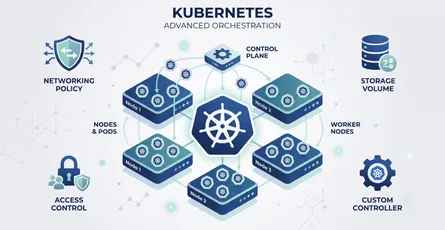
Kubernetes Advanced
This glossary covers the advanced Kubernetes terminology platform engineers rely on: scheduling, networking, storage, security, extensibility, and the workload controllers that keep applications runni
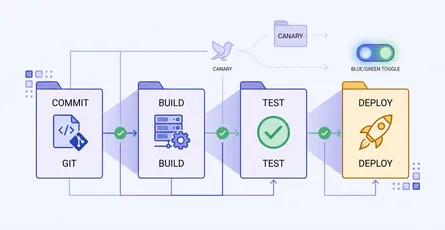
CI/CD & Automation
A quick-reference glossary of the terms you meet when automating builds, tests, and deployments: pipeline anatomy, test gates, and release strategies like canary and blue-green.
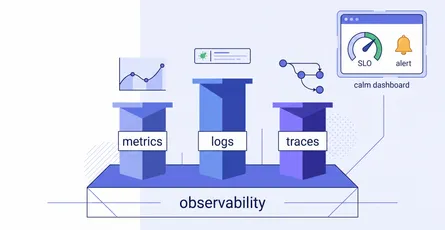
Observability & Monitoring
A quick-reference glossary for making sense of system health: the three pillars (metrics, logs, traces), the reliability vocabulary (SLI, SLO, error budget, burn rate), how good alerting works, and th
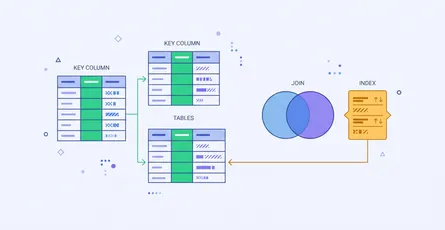
Databases & SQL
Most confusion about SQL is vocabulary rather than syntax. People know how to write a join and still get caught by a LEFT JOIN that quietly behaves like an INNER JOIN, because nobody explained that a
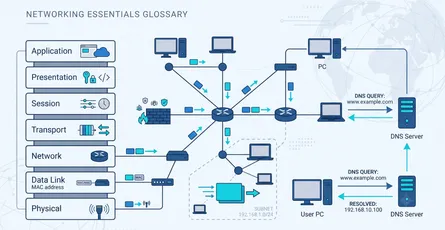
Networking Fundamentals
This glossary covers the core networking concepts every developer, DevOps engineer, and system administrator should know: how data is layered and addressed, and how it gets routed across the internet.
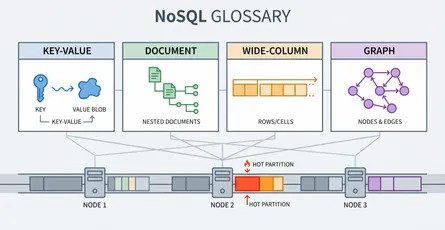
NoSQL Databases
Choosing a NoSQL database is not one decision, it is two: which data model, then which consistency behaviour. Getting the first wrong is expensive because in most of these stores the access pattern is
6 related posts